

 |
| Phone: 267-437-3098 Fax: 267-385-7300 Email: Pass1@Accessiblepass.net Website: https://accessiblepass.net |

Welcome to the Paschall Power Newsletter, your top source for news and information for the blind community. We’re passionate about keeping you up to date on the latest access technology and AI to cool new tech and important news. Every article is written with the blind community in mind, helping to keep our world informed, Thank You for lending us a moment of your time, Blessings!
IBM introduced its first personal computer, the IBM PC, in 1981
- Accessibility Note; if you are reading this Newsletter with a screen reader, we suggest activating your “say all feature,” and enjoy the entire experience hands free, including the accessible images and other items that will be described, you may also move by headings to jump between articles!
- Please grab a moment to take in the below quote from Winston Churchill:
“Success is not final, failure is not fatal: it is the courage to continue that counts.”
Let’s get into some great tech news!
A New Gridiron Revolution: The Accessible Sonic Power of High-Power Football


- Just in time for Friday night high school, college and NFL football, High Power Football or HPF is here, exclusively for blind, audio gamers. The launch of HPF is not just another game release; it is a declaration that the essence of competitive sports gaming can be experienced through sound alone.
- This groundbreaking RPG strategy game, inspired by the late pioneer Jim Kitchen, creator of the first accessible football game, shatters the visual barrier that has long kept millions of passionate football fans on the sidelines. HPF offers blind and visually impaired gamers a depth of play and a level of control never seen in an audio-only sports title.
- HPF is an accessible RPG and strategy version of “Madden Football,” a long-awaited and much-needed experience that delivers the complex, strategic nuances of the game through the players’ choices. The meticulous design, from the realistic playbooks and selectable player positions- to the penalties and referee calls, transforms strategic thinking into a tactile and auditory reality.
- While there will be some graphics, the entire game is usable with screen readers, from accessibility and game options, to tweaking the music volume. The game’s soundscape, mixed and mastered at Messiah Music Studio, isn’t just a backdrop; it is the very heart of the game, players will automatically feel the realism and modern sound and musical approach. High Power Football gives the gift of competitive football back to those who have been denied a true feel for the sport.
- With the ability to control every aspect of the game—players can work their way up to the Regal Bowl, then proudly wear the regal crown. HPF is not a simplified version of the game; this is the full, complex experience, presented in a format that both honors the late Jim Kitchen’s legacy and provides a new benchmark for accessible gaming. High Power Football, available soon, a long with the audio track album, to be released on all digital streaming services, more updates will be coming….
- Activate the below link for an immersive audio headset made for blind people to enjoy soccer in a special audio field, another accessible innovation helping the blind to witness sports📰
Headset allows visually impaired football fans to watch Premier League games
How to get more use out of you’re iPhone’s accessible search bar….


- Accessible, efficient, and responsive, the iPhone’s search bar, known as Spotlight, is a key tool that serves as a central command point for the device. While many people use it only to find a misplaced application, its true purpose extends far beyond that. With a swipe, it becomes a versatile utility capable of performing a wide range of tasks. You can use it as a calculator to solve equations, a unit converter for measurements, and an easy way to identify songs playing nearby. It also allows you to quickly launch apps, search for files and contacts, and find information on the web without opening a separate browser. This ability to integrate multiple functions into one accessible place streamlines daily tasks and helps users navigate their device with speed and efficiency.
- The iPhone’s design also emphasizes accessibility, and the search bar is a perfect example of this. When combined with features like Voiceover, the search bar becomes an essential instrument for all users. For those who are visually impaired, Voiceover reads the on-screen content aloud, allowing them to use the search bar by simply speaking their request. The device listens and responds with the information or action needed. This commitment to making technology universally usable is what makes the iPhone a powerful tool for everyone, proving that the most effective innovation is often the most direct and inclusive.
- Activate the below link for more about using the iPhone search bar📰
I had no idea the iPhone search bar could do all this
The New Gatekeeper: How Windows Hello is Forging a More Trusted and accessible Digital Experience


- the latest updates to Windows 11 have brought forth a refreshed vision for the operating system, one where the focus is not simply on new features, but on a more intelligent and secure foundation. At the forefront of this evolution is the revitalized Windows Hello. This feature transcends the conventional, offering a more personal and fortified method of authentication through the unique biometrics of your face or the distinct patterns of your fingerprint. Its power lies in its design; by keeping this sensitive data locally on the device and safeguarding it with a Trusted Platform Module (TPM) chip, Windows Hello creates a defensive barrier against the digital predators that seek to compromise your identity. For those who navigate the world with screen readers and magnification programs, this security is not a privilege but an accessible right. The guided setup process is designed with clear, on-screen prompts that are easily interpreted by assistive technologies, making the path to a password-free existence a reality for all.
- The renewed focus on Windows Hello is accompanied by a series of other considered changes. The Task Manager, alongside a central nervous system for monitoring system performance, now provides a more accurate and consistent display of CPU usage. Additionally, the File Explorer has been modestly but meaningfully updated to better handle compressed formats, streamlining an otherwise cumbersome process. These are not merely superficial tweaks but a statement of purpose, signaling a move toward a more coherent, reliable, and fundamentally just digital environment. It is a quiet but firm reminder that true progress is found in the meticulous details that make the digital world not only more powerful but more trustworthy for every user.
- Activate the below link for more about (Windows Hello) and all the new updates📰
Windows 11 gets big update with redesigned Windows Hello, improved Task Manager, and more – Neowin
Speaking of biometrics of your face: Home Depot Sued for Using Illegal Facial Recognition on Customers

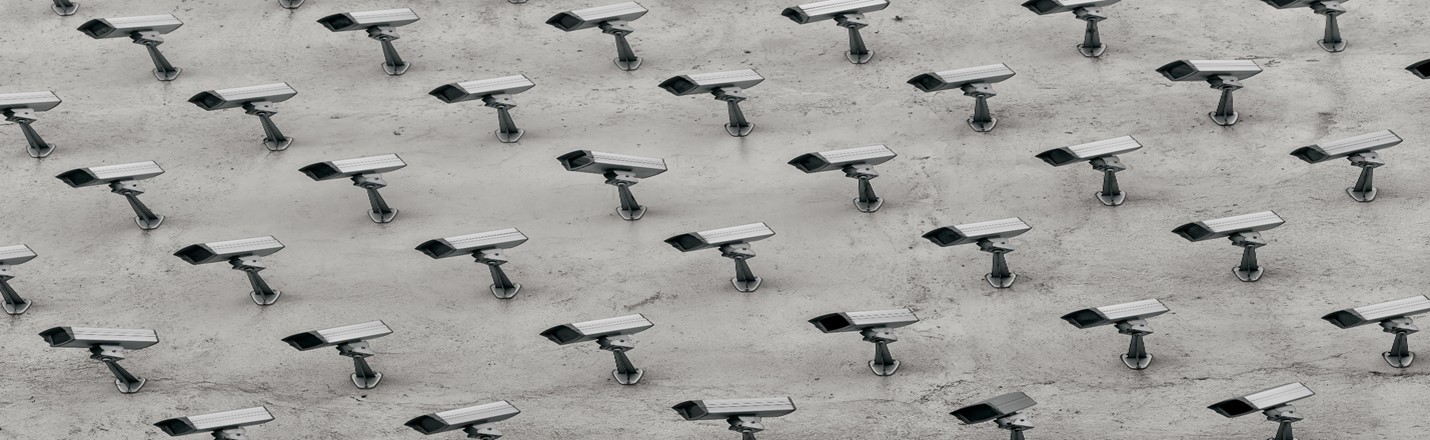
- In the relentless advance of the digital age, a shadow looms over the common person’s right to anonymity and dignity in public space. The very face you present to the world, a unique testament to your individual existence, is being quietly, and without consent, captured and cataloged by the very corporations you patronize. The Paschall Power Newsletter has long sounded the alarm on this emergent security state, and now, the issue has found its way to the forefront in the form of a class-action lawsuit against Home Depot. The home improvement giant stands accused of using facial recognition technology at its self-checkout kiosks, covertly collecting the biometric data of its customers. This is not a matter of benign observation; it is a fundamental infringement on privacy, a theft of personal identity that is far more invasive than any item one might conceal in a pocket. Where do these images go? Who granted permission for this surveillance? The answer, for too long, has been a silent complicity, a legal vacuum that corporations like Home Depot have exploited to build databases of your most intimate biological information, all in the name of curbing theft. This unsettling reality makes the lawsuit against Home Depot a vital front in the struggle to reclaim our autonomy from the encroaching, unblinking eye of corporate and governmental surveillance.
- The web of this intrusive technology extends beyond the retail floor, entangling itself with government agencies and creating a perilous nexus of data sharing. Companies like Clearview AI, currently mired in legal battles for scraping billions of public images, are the same entities whose services are utilized by the TSA and other security agencies, knitting together a digital tapestry of every American’s face. This technological infrastructure, while sold as a bulwark against security threats, is fundamentally flawed. Numerous studies, including foundational work by researchers like Joy Buolamwini and Timnit Gebru, have demonstrated a deeply ingrained racial and gender bias within these algorithms, with a significantly higher error rate for Black people and persons of color. This imperfection is not a mere technical glitch; it is a dangerous amplification of societal prejudice, leading to wrongful arrests and false accusations that disproportionately affect communities who have already borne the brunt of systemic inequity. A technology that cannot see the faces of all people with equal clarity should not be allowed to police them. The fight for privacy is not a luxury; it is a necessity for the advancement of all, a rejection of a world where our faces become the currency of a security state that watches our every move, stripping away our liberty one stolen image at a time.
- Activate the below for more about the illegal facial recognition used by Home Depot📰
Home Depot is being sued for using facial recognition at self-checkout kiosks without consent
The Silent Language: How HapWare Unlocks the Unseen World of Communication

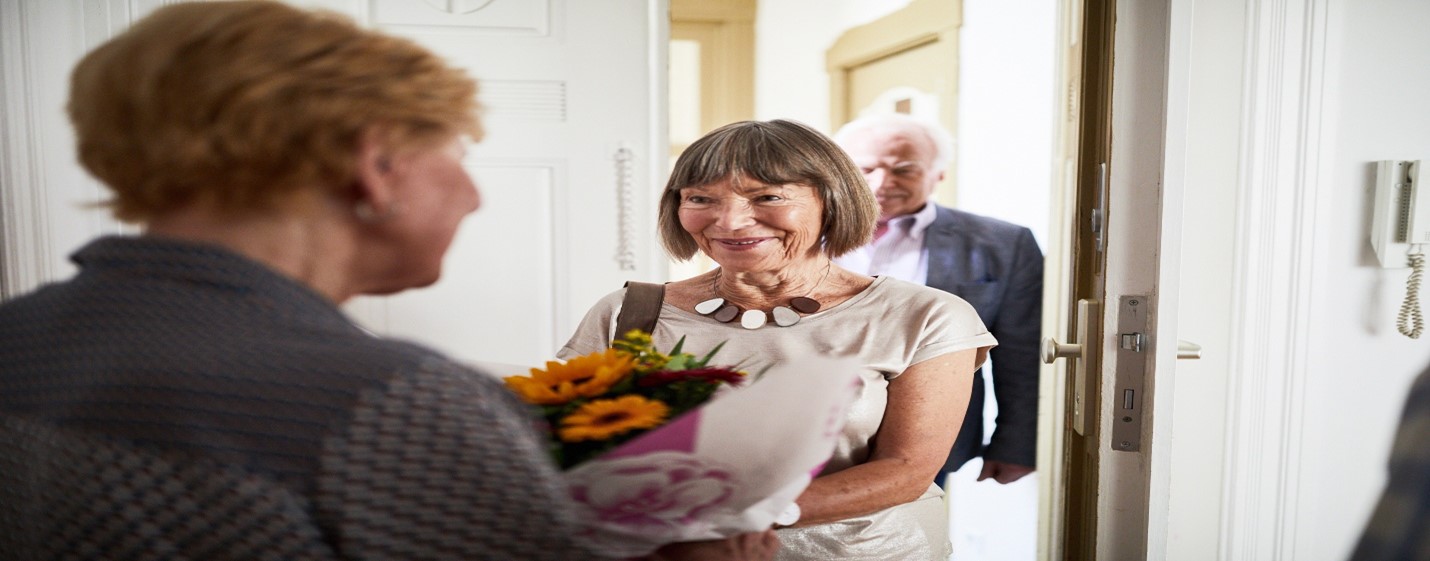
- In an era defined by technological integration, a new wearable device, “HapWare,” is revolutionizing communication for the blind. These assistive glasses and a haptic wristband translate the intricate and often-missed world of non-verbal communication into tangible vibrations. Non-verbal cues—like the tightening of a person’s lips indicating distress, a furrowed brow signaling confusion, or a smile’s upward curve—are critical in every human interaction. They provide essential context, conveying emotions and intentions that words alone cannot. For centuries, the visually impaired have been excluded from this silent language, a profound disadvantage in social situations and personal safety. HapWare bridges this gap, providing a dynamic sense of awareness. By recognizing more than 25 distinct facial expressions and gestures, the device uses dynamic haptics to allow the user to feel a person’s emotional state, from the subtle vibrations of a casual nod to the more complex patterns that might signify anger or fear.
- This technology’s significance extends far beyond simple social pleasantries; it offers a new layer of security and self-possession. Nonverbal communication amongst ancient civilizations, such as Nubia and Kemet, understood that the body itself is a conduit of profound information, where gestures and posture are seen as a form of sacred, unspoken truth. HapWare taps into this ancient understanding by allowing a blind person to perceive when someone’s body language shifts to a closed-off stance, such as crossing their arms, which may signal unease or hostility. This could be a crucial warning sign in a public space, allowing the user to de-escalate a situation or seek a safe exit. The device’s ability to transmit such nuanced information directly to the user’s wrist means that a blind person no longer must rely solely on verbal cues, which can often be deceptive. It restores a depth of understanding and autonomy that has long been absent, creating a more just and equitably informed reality for those who navigate the world without sight.
- Activate the below link for more about (HapWare)📰
Electromechanical Remodeling (EMR) set to provide new, more precise eye surgeries.

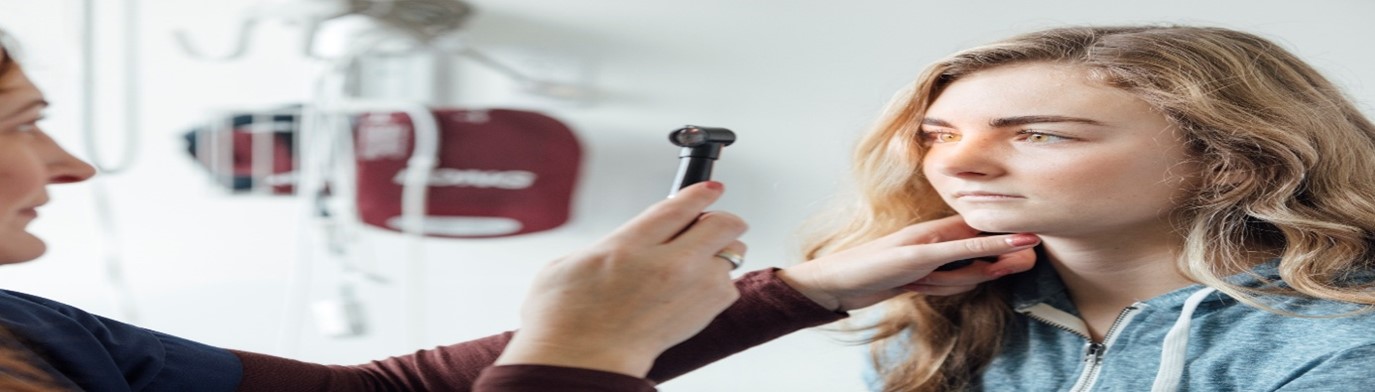
- A new era of vision correction is dawning, promising to leave behind the days of glasses and contacts for good. But what exactly is laser eye surgery? At its core, laser eye surgery is a type of refractive surgery that corrects common vision problems like nearsightedness, farsightedness, and astigmatism by using a laser to reshape the cornea, the clear, dome-shaped front surface of the eye. The most well-known procedure is LASIK (Laser-Assisted In Situ Keratomileusis), which is favored for its quick recovery time and excellent results. Another popular option, PRK (Photorefractive Keratectomy), is a surface-based procedure often recommended for individuals with thinner corneas or specific lifestyles, proving that not all eyes—and not all treatments—are created equal.
- While laser eye surgery has already been a game-changer, recent advancements are poised to revolutionize ophthalmology even further. A new technique, called Electromechanical Remodeling (EMR), offers a groundbreaking non-invasive alternative to traditional laser methods. Unlike LASIK, which makes thousands of precise cuts per minute, EMR uses a tiny electric current and a special contact lens to reshape the cornea without a single incision or laser. This innovation could make vision correction accessible to a wider range of people, including those with thin corneas who were previously ineligible for surgery. This less-invasive approach has the potential to transform procedures that traditionally rely on lasers for tissue removal or incision, such as cataract surgery (which removes the eye’s cloudy lens), treating glaucoma (which drains fluid to relieve pressure), and repairing retinal tears (which are sealed to prevent vision loss).
- Although this exciting new technology is still in the experimental phase, having only been tested on rabbit eyes so far, its potential is crystal clear. By offering a faster, less invasive, and more affordable method of vision correction, EMR could one day make the phrase “Where are my glasses?” a humorous relic of the past. As technology continues to evolve at a breakneck pace, the future of eye care is looking brighter—and a whole lot clearer—for us all.
- Activate the below link for more about (EMR) and future eye surgery advancements📰
Have you tried Narrator lately? Instant image descriptions have been added….
The following is a reposted article, per reader request!
- It sounds like Windows Narrator has been hitting the gym and, well, getting quite the glow-up! No longer just a basic screen reader, it’s evolving into a seriously capable tool for accessibility, complete with impressive, realistic voices and seamless keyboard controls that make navigating your PC a breeze. Microsoft’s ongoing commitment to enhancing Narrator means a smoother, more intuitive experience for users who rely on auditory feedback. This constant refinement transforms Narrator into a truly effective screen reader, making digital content more accessible than ever before.
Through the years, Narrator’s voices have consistently improved, now boasting a natural and human-like quality that truly rivals other leading screen readers on the market. Gone are the robotic, monotone pronunciations of yesteryear; Narrator now offers a range of high-quality, synthetic voices that are surprisingly pleasant to listen to for extended periods. This makes a huge difference for daily computer use, reducing ear fatigue and improving comprehension, allowing users to engage with their digital environment with greater ease and comfort. It’s a testament to the advancements in text-to-speech technology that a free, built-in tool can offer such a premium auditory experience. One of the most exciting recent additions to Narrator’s repertoire is its new “image description” function, leveraging the power of AI to provide rich, detailed descriptions of visual content. This feature is a game-changer for blind and low-vision users, addressing the common problem of inaccessible images without proper alt text. To use it, simply bring an image into focus and press the Narrator key + Ctrl + D. Narrator will then generate a description, detailing elements like people, objects, colors, and even text within the image. For instance, if you encounter a graph, Narrator might describe it as “A bar chart showing quarterly sales figures, with Q1 at 100 units, Q2 at 120 units, and Q3 at 90 units.” There are two “flavors” of this feature: a basic version available on most PCs, which utilizes online services, and a more advanced, “rich image description” version specifically for Copilot+ PCs. The Copilot+ version takes advantage of on-device AI models to provide even more comprehensive and contextual descriptions, truly bringing visual content to life through sound, all while maintaining privacy as the processing happens locally.
👍Check out some Paschall Power quick Narrator commands.
4 Essential Narrator Commands
Here are four basic keyboard commands to help you get started and navigate efficiently with Narrator:
- Turn Narrator On/Off: Press Windows key + Ctrl + Enter. This acts as a quick toggle to activate or deactivate Narrator.
- Stop Reading: Press Ctrl. This will immediately halt Narrator’s current speech, useful when you’ve heard enough or need to pause.
- Read Continuously: Once your cursor is at the desired starting point, press Narrator key + Down Arrow or Narrator key + R. This command allows Narrator to read through content, such as a document or webpage, from that point onward without needing further prompts until it reaches the end or you stop it.
- Narrator Key: By default, both the Caps Lock and Insert keys can serve as your Narrator key. This key is used in combination with other keys for most Narrator commands. You can choose your preferred modifier in Narrator settings for convenience.
- Activate the below link for more about Windows Narrator by Microsoft💡
Complete guide to Narrator – Microsoft Support
The Paschall Power Star of the Month
We have now come to the end of our 22ND edition of the Paschal Power Newsletter, and you know what that means, right? ahh yes, the Paschall Power Star for the month of September 2025, and our Power Star for the month of September is a true hero, the Philadelphia native, Mr. Caseem Wongus. Caseem, is our youngest Star of the month at age 26, and his heroics demonstrates true bravery, humanity and the sincere meaning of the phrase “protect your brother,” for saving an (9-year-old boy) while burning from jet fuel!
Paschall Power Star: The Light from the Rubble: Caseem Wongus


- In the heart of a city sometimes defined by its struggles, a young man named Caseem Wongus emerged from a tragic event as a testament to the enduring power of human courage. He has been rightfully named our Paschall Power Star for the month of September. The event that brought him this recognition was a devastating one: the crash of a medical jet in Northeast Philadelphia. The jet had just taken off from Northeast Philadelphia Airport, on its way to a stop in Missouri before its destination in Tijuana, when it careened on a residential street. All six people aboard, including a young patient and her mother, tragically lost their lives. Amidst the carnage, a nine-year-old boy named Ramesses, who was on the ground, was critically burned.
- What happened next was an act of grace under pressure. While others were running from the fiery wreckage, Caseem Wongus, without a second’s hesitation, ran toward it. He spotted the young boy and, in a selfless act, used his own jacket to smother the flames on the child’s body. His quick thinking and disregard for his own safety undoubtedly saved the boy’s life. This moment of pure, unadulterated heroism speaks to the truth far older than the headlines. It is a powerful reminder that in times of crisis, brothers take care of brothers deep, ethical call to action that transcends the chaos and despair of the moment. Caseem’s bravery is a bright and shining light of humanity, a powerful rebuttal to the cynicism that has taken root in these times of separation.
- As a gesture of immense gratitude, the city of Philadelphia and the nation came together to honor his bravery. Caseem was asked to throw out the ceremonial first pitch at a Phillies game, a moment that served as a public “thank you” for his selfless act. On the pitcher’s mound, he stood not just as a local hero, but as a symbol of hope. The standing ovation he received was a collective acknowledgment of his character and a profound celebration of a young man who did what was right, without ever seeking the limelight. His story is a powerful lesson that true heroes are often found in the most unexpected of places, and their actions can serve as a guide for us all.
- Activate the below link for more about the incredible Caseem Wongus📰
Hero who saved boy during Philly plane crash throws first pitch – NBC10 Philadelphia
👌On behalf of the Paschall Power Newsletter team, we thank you for reading. Do you have any questions, suggestions for content or may you be interested in submitting an article for future releases? drop us a line at the link below💡
Contact us – (accessiblepass.net)
👌Consider Donating! Paschall Power sincerely thanks and appreciates all donations that aids in keeping us moving forward, “growth occurs through individual effort, community support and the generosity of those with integrity and power,” please activate the below link for our donation page💡