 |
| Phone: 267-437-3098 Fax: 267-385-7300 Email: Pass1@Accessiblepass.net Website: https://accessiblepass.net |
| Welcome to the world’s number one information source for the blind, we are, the Paschall Power Newsletter. Every newsletter is focused on hand picked topics to keep us, the blind community up to date on access technology, AI, Kool tech and related news, our team cherishes your time spent with us, may the (Most High) guide your journey with blessings! Special newsletter update👌Our newsletter team is excited to announce that we will be including articles on “accessible cooking, housing, travel, and urgent issues concerning the greater blind community, keeping you informed is our accessible mission! |
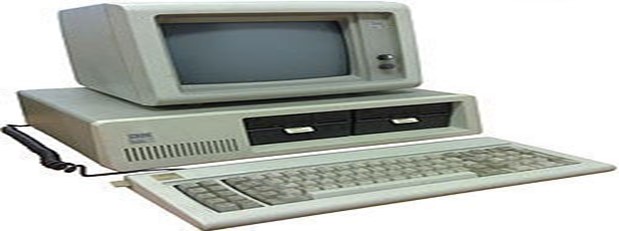 |
| IBM introduced its first personal computer, the IBM PC, in1981· Accessibility Note; if you are reading this Newsletter with a screen reader, we suggest activating your “say all feature,” and enjoy the entire experience hands free, including the accessible images and other items that will be described, you may also move by headings to jump between articles!· Please grab a moment to take in the quote below from Etty Hillesum: “Sometimes the most important thing in a whole day is the rest we take between two deep breaths.”Let’s get into some great tech news📰Step Aside, Ray-Bans: Oakley Meta Smart Glasses Are Here to Revolutionize Your World! |
 |
| · Get ready to upgrade your eyewear game, because Meta has just dropped the “Oakley Meta Smart Glasses,” and they’re not just a pretty face – they are packed with some seriously smart features. If you thought the Meta Ray-Ban Smart Glasses were cool, prepare to have your socks (and possibly your old smart glasses) knocked off. While both models seamlessly integrate the ever-helpful Meta AI assistant, offering hands-free communication, music playback through open-ear speakers, and the ability to capture photos with their 12MP cameras, the Oakley version truly elevates the experience. They both also offer support for prescription lenses, ensuring everyone can join the smart eyewear revolution. However, the Oakley Meta glasses distinguish themselves with significantly upgraded 3K video recording (leaving the Ray-Ban’s 1080p in the dust!), a doubled battery life for up to eight hours of typical use, and a more rugged, athletic-focused design with enhanced IPX4 water resistance. Starting at $399 (with a limited-edition HSTN model at $499), these glasses are geared towards those who demand performance and durability without sacrificing cutting-edge tech.· Beyond their slick looks and powerful performance, these Meta Smart Glasses are quietly making a profound impact on accessibility, particularly for the blind and visually impaired community. Thanks to the integrated Meta AI with Vision, these glasses are transforming how information is received in real-time. Imagine asking your glasses, “Hey Meta, what’s in front of me?” and receiving a detailed audio description of your surroundings, identifying objects, or even reading and translating text aloud from a sign or a menu. This hands-free functionality is a game-changer, and available on Meta’s smart glasses, fostering greater independence and confidence. Furthermore, the integration with services like “Be My Eyes” allows users to connect with sighted volunteers for real-time visual assistance through the glasses’ camera and speakers – it’s like having a helpful friend in your ear, ready to assist with daily tasks. So, whether you’re an athlete looking to capture epic moments or someone seeking a revolutionary tool for navigating the world, Meta’s smart glasses are certainly more than just a passing trend; they’re a glimpse into a more connected and accessible future.· Activate the below link on how the Oakley Meta’s outperform the Ray Bans💡Meta’s new $399 Oakley smart glasses beat the Ray-Bans in almost every way | ZDNETApple’s WWDC25 Accessible Wrap-Up: A Deeper Dive into OS 26 |
 |
| · Apple’s Worldwide Developers Conference (WWDC25) truly pushed the boundaries of inclusive technology, rolling out an impressive suite of accessibility features set to arrive with the new OS 26. The highlight for many was the groundbreaking Accessibility Nutrition Labels on the App Store, which will, at long last, allow users to see an app’s accessibility support (like Voiceover compatibility or adjustable text sizes) before downloading. This is a game-changer for informed decision-making, sparing users from the digital equivalent of a treasure hunt for accessible apps. Furthermore, the beloved Magnifier app is expanding its reach from iPhone and iPad to macOS, transforming Macs into powerful electronic magnifiers for users with low vision, capable of zooming in on everything from whiteboards to documents. Braille users are also celebrating the arrival of “Braille Access,” which essentially turns Apple devices into full-featured braille notepads, now boasting Nemeth Braille support for intricate math and science equations, and real-time conversation transcription directly onto braille displays via Live Captions. Apple’s commitment to making the digital world palpable and readable for all is certainly shining through.· However, while many new features promise a brighter future for accessibility, OS 26 also brought some familiar disappointments for the blind and low vision communities. Features heavily showcased, such as the new “Liquid Glass” design language and advanced visual intelligence capabilities, while visually stunning, often rely heavily on precise visual interpretation, leaving blind users in the dark. It’s a bit like being invited to a dazzling light show when you cannot see the lights! Although Voiceover and other existing accessibility tools will still navigate these new interfaces, the fundamental design choices don’t always offer a truly equivalent experience. Looking to the future, there’s considerable buzz around how devices like Apple Vision Pro and the rumored Apple Glasses could revolutionize accessibility for the blind. While the Vision Pro’s current iteration primarily focuses on spatial computing with a visual interface, its underlying sensor technology and ability to offer precise environmental understanding hold immense promise for future accessibility adaptations, such as enhanced object recognition, navigation assistance, and even real-time descriptive audio for the physical world, moving beyond just the digital. Imagine a world where your glasses could narrate your surroundings – now that would be a vision come true!· Activate the below link for more about Apple’s WWDC25 Updates💡Everything Apple Announced at WWDC 2025 | WIREDAccessible/Smart/Residential Housing (for the Blind) is coming…. |
 |
| · Paschall Community Services (PCS) is a groundbreaking new nonprofit dedicated to nurturing independent, joyful, and supportive living for individuals who are visually impaired and our cherished senior population. Founded on the recognition of a severe shortage of modern, safe, and truly accessible housing, PCS’s vision is rooted in inclusivity. Their “Accessibility First” commitment means every residential unit is meticulously designed with features like talking appliances, integrated security systems, accessible wall and floor guides, and customizable location-based assistance. Beyond innovative smart housing, PCS offers “Residential Independence Services” for daily living support and an “Accessible Technology Computer Center” to bridge the digital divide with advanced screen reading and magnification tools. PCS will also elevate care standards through “PCS Home Health Training,” providing specialized instruction for home healthcare professionals working with visually impaired and senior communities; but do not confuse PCS with “assistant living facilities,” although assistance is available per request, programs offered by PCS are optional, and intended for “residential growth and convenience.”· The need for organizations like PCS is critical, as blind, and low-vision individuals face profound difficulties in securing competent and safe housing. People with disabilities, including those with visual impairments, disproportionately experience housing insecurity, with many unable to afford even modest rental costs due to limited incomes. In fact, 4.1 million people with disabilities aged 18 to 64 who receive Supplemental Security Income (SSI) cannot afford an apartment in any U.S. housing market without additional support. Moreover, a significant 84% of disabled people with low incomes eligible for housing assistance do not receive it, leading to “worst-case housing needs” where over half their income is spent on rent or they live in severely inadequate conditions. Traditional housing often lacks essential accessibility features, such as proper lighting and clear pathways, increasing risks of accidents and limiting independence. PCS’s comprehensive approach offers a new day in accessible housing, addressing these systemic barriers to ensure visually impaired individuals can truly thrive.Activate the below link for more about PCS and accessible housing for the blind:About us – Paschall Community ServicesKeeping Your Windows System Sparkly Clean: A Guide for Blind Computer Users |
 |
| 👌The article below presents basic directions for keeping your computer clean, if you are unsure how to complete any of the directions, we advise you to consult a professional.· Let’s face it, keeping a computer running smoothly can feel like taming a digital gremlin – especially when you can’t see the little rascal! But fear not, fellow screen reader enthusiasts, because a clean Windows system isn’t just about aesthetics; it’s about performance, responsiveness, and a frustration-free computing experience. A well-maintained PC means Narrator or JAWS will not sound like they are wading through molasses, and your commands will be met with snappy execution, not the digital equivalent of a shrug. So, let’s dive into some practical, up-to-date tips to ensure your Windows system remains a finely tuned machine, ready for anything you throw at it (metaphorically, of course – please don’t throw things at your computer).· The Digital Dust Bunnies: Why Clutter Slows You Down.Imagine your computer’s hard drive as a bustling city. Every program, every file, every temporary crumb of data takes up space. Over time, this city gets a bit… cluttered. Files become fragmented, startup programs multiply like digital rabbits, and temporary files pile up like forgotten laundry. For sighted users, this might manifest as a slow boot-up or sluggish application launches. For blind users relying on screen readers, these performance dips can be even more pronounced, leading to choppy speech, delayed responses, and a general sense of “Are we there yet?” every time you try to open a document. But don’t despair! With a few simple strategies, you can sweep away these digital dust bunnies and let your Windows system breathe.· Three Pillars of a Pristine PC for Blind Users.Maintaining a clean Windows system is remarkably achievable, even without visual cues. The key lies in leveraging your screen reader and understanding the logical flow of Windows settings and tools. Here are three specific examples to get you started:👌The Great Digital Purge: Harnessing Disk CleanupThink of Disk Cleanup as your computer’s personal tidy-up crew. This built-in Windows tool helps you identify and remove unnecessary files that hog valuable disk space. We are talking about temporary internet files, system error memory dumps (which sound far more dramatic than they are), old Windows update files, and items lurking in your Recycle Bin. Removing these digital hoarder treasures can significantly free up space and improve your system’s overall responsiveness.How to Execute the Purge:1. Open the Run dialog: Press the Windows key + R.2. Type cleanmgr and press Enter. Your screen reader should announce “Run dialog, Open: cleanmgr.”3. Select the drive you want to clean (usually your C: drive) and press Enter.4. Navigate the Disk Cleanup dialog: Your screen reader will read out a list of file categories with checkboxes. Use the Tab key to move between categories and the Spacebar to check or uncheck them. Focus on “Temporary Internet Files,” “Temporary files,” “Recycle Bin,” and “Windows Update Cleanup.”5. Important Step for Deeper Cleaning: Locate and activate the “Clean up system files” button. This often requires another round of scanning and reveals even more files that are safe to delete, such as previous Windows installations that are taking up significant space.6. Confirm deletion: After making your selections, navigate to the “OK” button and press Enter. A confirmation dialog will appear, asking if you’re sure you want to delete these files. Confirm by pressing Enter on “Delete Files.” 👌Taming the Startup Stampede: Managing Startup ProgramsDoes your computer take its sweet time waking up, much like a teenager on a Saturday morning? The culprit might be too many programs trying to launch themselves as soon as Windows starts. Many applications, upon installation, decide they’re essential enough to join the “startup party,” even if you only use them once a blue moon. These programs consume valuable RAM and CPU cycles from the moment your computer boots, slowing everything down.How to Reign in the Renegades:1. Open Task Manager: Press Ctrl + Shift + Esc. Your screen reader should announce “Task Manager.”2. Navigate to the “Startup” tab: Use Ctrl + Tab to cycle through the tabs until you hear “Startup tab.”3. Review the list of startup items: Use the arrow keys to navigate the list of programs. For each program, your screen reader will tell you its name, publisher, and “Startup impact” (e.g., “High,” “Medium,” “Low,” or “None”).4. Disable unnecessary programs: When you land on a program you want to prevent from launching at startup, press Alt + D to “Disable” it. Be cautious here; don’t disable anything you’re unsure about, especially system-critical programs. If in doubt, leave it enabled or research its function. Common candidates for disabling include chat applications, cloud storage sync tools, and unnecessary updater programs.5. The Digital Choreography: Optimizing and Defragmenting DrivesOver time, as you create, delete, and modify files, your data can become fragmented on traditional hard disk drives (HDDs). Imagine a book where chapters are scattered across different libraries instead of neatly in one place. Your computer must work harder to find all the pieces which slows down file access. Solid State Drives (SSDs), on the other hand, handle data differently and don’t require traditional defragmentation; instead, they benefit from “trimming,” which Windows handles automatically. Knowing what type of drive you have is the first step.How to Get Your Drives Dancing in Sync:1. Open the “Defragment and Optimize Drives” tool: Press the Windows key, type “defrag,” and press Enter. Your screen reader should announce “Defragment and Optimize Drives.”2. Identify your drives: Use the arrow keys to navigate the list of drives. Your screen reader will announce the drive letter, type (e.g., “Solid State Drive,” “Hard Disk Drive”), and status.3. Analyze (for HDDs) or Optimize (for SSDs):· If you have an HDD, select the drive and activate the “Analyze” button. Your screen reader will report the fragmentation percentage. If it’s high (e.g., above 10%), consider optimizing.· If you have an SSD, select the drive and activate the “Optimize” (or “Trim”) button. Windows will perform the necessary trimming operation.4. Optimize (for HDDs): If your HDD needs defragmenting after analysis, select it and activate the “Optimize” button. This process can take some time, so it’s a good idea to run it when you are not actively using your computer.5. Review the schedule: Windows typically handles optimization automatically on a weekly basis. You can check and adjust this schedule by activating the “Change settings” button.👌A Final Word on Digital HygieneKeeping your Windows system running clean is an ongoing process, not a one-time event. Regularly performing these maintenance tasks will pay dividends in speed, responsiveness, and overall enjoyment of your computer. Beyond these three examples, remember to:· Keep your Windows operating system and applications updated: Updates often include performance improvements and bug fixes.· Be mindful of what you install: Only download software from reputable sources.· Consider reputable antivirus and anti-malware software: Even with accessibility in mind, good security is paramount. Many excellent options are screen reader friendly.By being proactive about your system’s health, you will ensure your Windows PC remains a reliable and efficient companion, helping you navigate the digital world with ease and, dare we say, a touch of digital sparkle. Happy computing!Browse Beyond Chrome: A Trio of Trustworthy Alternatives |
 |
| · For many access technology users, Google Chrome has been the go-to web browser, a digital comfort zone we’ve grown accustomed to. Yet, much like that favorite pair of jeans that’s a bit too comfortable, Chrome’s extensive data collection can leave us feeling a tad exposed. Experts are increasingly pointing towards alternatives that offer a more secure and private Browse experience, transforming your online journey from a tracked expedition to a serene stroll. So, if you are ready to explore beyond the Google galaxy, prepare to meet three champions of privacy that might just change your Browse habits for the better.· Leading the charge in the realm of secure Browse are Mozilla Firefox, Brave, and DuckDuckGo. Firefox, developed by the non-profit Mozilla Foundation, stands out for its unwavering commitment to user privacy, actively blocking trackers and offering extensive customization options – you can practically redecorate your digital home! Then there’s Brave, the knight in shining armor for those weary of relentless ads and trackers. It valiantly blocks third-party cookies and ads, making web pages load faster and sparing you from the digital equivalent of being followed around a store by a persistent salesperson. Finally, DuckDuckGo, known for its privacy-centric search engine, extends its principles to its browser, ensuring your Browse history isn’t stored or shared. It’s like having a short-term memory for your browser, forgetting those random late-night searches before they can be used to sell you something. Switching to one of these browsers means reclaiming your digital privacy, ensuring your online adventures remain yours and yours alone.· Activate the below link for more about using more secure web browsers💡The 3 Best, Most Secure Web Browsers That Are Better Than Google Chrome, Experts SaySmart Kitchens: A New Era of Independence with Accessible Ovens |
 |
| · The culinary world is becoming more inclusive, thanks to innovations in accessible appliances like the LG Smart Double Oven Range, bringing unprecedented independence to blind and visually impaired individuals. These intelligent ovens, often equipped with features like the LG ThinQ app and compatibility with voice assistants such as Alexa, are transforming meal preparation from a daunting task into a delightful experience. For instance, voice control allows users to precisely set oven temperatures and cooking times without needing to interact with a visual interface, providing a crucial safety and convenience upgrade. Furthermore, smart ovens can offer audible alerts when preheating is complete or a timer goes off, eliminating the need to constantly monitor a display. Lastly, integrated smart cooking partners can guide users through recipes step-by-step, providing verbal instructions for each stage of the cooking process, ensuring meals are prepared accurately and safely.· Beyond the oven, the integration of accessible smart appliances with Alexa and other voice controls heralds a significant shift in general living for blind consumers. These technologies create a more intuitive and manageable home environment. For instance, effortlessly controlling lights, adjusting thermostats, or even managing laundry cycles with simple voice commands. This interconnectedness promotes greater autonomy, allowing individuals to maintain their daily routines with confidence and ease. Voice-activated assistants can provide real-time information, manage schedules, facilitate communication, and even assist with navigation within the home, empowering blind consumers to lead more independent, connected, and fulfilling lives.· Activate the link below for more about (Smart Ovens) and using voice commands💡Can Alexa Control My LG Oven? Explore Smart Features And Setup Tips For LG ThinQ [Updated On: June 2025]Focusing on every Rep: Accessible Exercise for the Blind Community |
 |
| · The world of fitness is rapidly advancing towards greater inclusivity, particularly for blind individuals, thanks to innovative “accessible exercise equipment.” These cutting-edge machines are designed with features like intuitive voice-controlled interfaces, strategically placed tactile locators, and easily distinguishable large physical buttons and dials. Beyond the hardware, seamless connectivity to smart devices such as Alexa or specialized accessible apps transforms the workout experience, offering crucial audio feedback, guided routines, and performance tracking that eliminate the need for visual cues. Imagine the freedom of a treadmill verbally announcing your speed and incline adjustments, or a stationary bike providing spoken prompts as you navigate texture resistance controls. This thoughtful design not only shatters traditional barriers but also unlocks a universe of physical activity for those who have long faced limitations in conventional gym environments.· For blind individuals, maintaining physical fitness isn’t just about looking good; it’s a critical component of overall well-being and independence. The challenges of navigating non-accessible areas, travel complexities, and the scarcity of truly inclusive gyms can lead to sedentary lifestyles. This, in turn, carries serious health implications, including heightened risks of obesity, cardiovascular disease, and reduced mobility. Regular exercise significantly enhances proprioception and coordination, which are vital for safe and confident movement, reducing the risk of falls, and greatly improving daily living. Consider these three examples of readily available, accessible exercise equipment:· NuStep Recumbent Cross Trainers (e.g., NuStep T4r, T6): NuStep is renowned for its recumbent cross trainers, which are designed with ease of use and accessibility in mind. While not specifically voice-controlled, their machines often feature large, clear displays and easily distinguishable buttons. More importantly, their recumbent design makes them highly stable and suitable for users with balance concerns, allowing for a comfortable, full-body workout. They are widely used in rehabilitation settings, indicating their user-friendly nature.· Concept2 Rowers (e.g., Concept2 RowErg): Concept2 rowing machines are surprisingly accessible. Their performance monitors (PM5) can be paired with third-party accessible apps that offer auditory feedback on metrics like stroke rate, distance, and time. The physical motion of rowing is consistent and can be learned through tactile and auditory cues, making it an excellent cardio and strength workout. The company has also explored software development to provide feedback directly to devices with speech software.· SCIFIT Upper Body Ergometers (e.g., SCIFIT PRO1 Upper Body Exerciser): SCIFIT specializes in adaptive fitness equipment, and their upper body ergometers are fantastic for individuals who may have lower body limitations or prefer an arm-focused workout. These machines are highly adjustable and can often be used from a seated position or a wheelchair, with accessible controls that are intuitive to operate through touch.By integrating these and similar accessible fitness solutions, the blind community can overcome the hurdles to physical activity, nurturing improved health, enhanced independence, and a more active lifestyle.· Activate the below link for the You Tube page of “Blind Athletes Exercise,” for accessible workouts and more💡Blind Athletes Exercise – YouTubeHow about (accessible smart and non-smart watches) for blind consumers…. |
 |
| · Tick-tock goes the clock, but for those with visual impairments, telling time has traditionally been more of a “guess-the-hour” game than a quick glance. Thankfully, the world of watches has embraced accessibility, offering a delightful array of options from the super-smart to the wonderfully tactile. Accessible smartwatches, like the ubiquitous Apple Watch, are leading the charge. These miniature wrist-computers are loaded with features like Voiceover, which audibly describes what’s on the screen (because who needs eyes when you have a sassy digital assistant in your ear?), and haptic feedback, gently tapping your wrist for notifications. They even track activities like “pushes” for wheelchair users and can detect if you’ve taken an unexpected tumble, promptly calling for help – because nobody wants to lie on the floor wondering if it’s past teatime. The Apple Watch is a fantastic example, along with the Samsung Galaxy Watch, both offering robust accessibility suites that make them much more than just fancy time-tellers.· But wait, there’s more! For those who prefer a more traditional, yet equally innovative, approach, non-smart accessible watches are truly a marvel of design. These aren’t just for telling time; they are for feeling time, sometimes with a delightful little tickle on your wrist. Take the Eone Bradley Timepiece, for instance, which uses two magnetic ball bearings (one for hours, one for minutes) that you can touch to discern the time – no need for bright lights or squinting! It’s like a secret handshake with your wrist. Another ingenious option is the Dot Watch, which features a refreshable braille display, translating time and notifications directly onto your skin. So, whether you’re a tech-savvy individual who wants their watch to call an ambulance if you trip over your own feet, or someone who prefers the quiet elegance of tactile time-telling, there’s an accessible watch out there just waiting to be your trusty, witty companion.· Activate the below link for more about the (Eone Bradley) wristwatch for the blind💡This Watch Is Made for the Blind but Is Wildly Popular with the Sighted | Gear PatrolThe Paschall Power Star of the MonthWe have now come to the end of our 20th edition of the Paschal Power Newsletter, and you know what that means, right? ahh yes, the Paschall Power Star for the month of July (2025) since we write our newsletters before the incoming month, our team acknowledges the (Juneteenth) Holiday) and the lasting contributions of “General Gordan Granger,” General Granger is our Paschall Power Star for the month of July! Like when Moses freed the slaves from the oppressions of Egypt, General Granger helped free the slaves that were still being oppressed in the State of Texas, read on for more about General Gordon Granger, and a true story of American freedom. |
 |
| · The profound impact of General Gordon Granger and the Juneteenth holiday, a day that truly packs a punch in the annals of freedom! On June 19, 1865, Union General Gordon Granger arrived in Galveston, Texas, and issued General Order No. 3, declaring that all enslaved people in Texas were free. This pivotal moment, occurring more than two years after the Emancipation Proclamation, was encouragement for an estimated 250,000 enslaved individuals in Texas, the last Confederate state to acknowledge the end of slavery. Imagine the scene: a crowd gathering, the words of freedom ringing out, and the dawning realization of a new, albeit challenging, era. For Black Americans then, it was the official end of chattel slavery, a monumental step towards human dignity and self-determination, though the fight for true equality was far from over. Today, Juneteenth serves as a powerful reminder of resilience, the enduring legacy of slavery, and the ongoing struggle for civil rights, celebrated with parades, festivals, and educational events that honor the journey from bondage to liberation. It’s a day for reflection, celebration, and a darn good barbecue!· The spirit of Juneteenth, a celebration of freedom from oppression, resonates far beyond the borders of the United States. It connects with people worldwide who have experienced genuine oppression, not those who might, shall we say, attempt to understand hardship through a lens of privilege. It’s a testament to the universal human desire for liberty and justice, echoing the struggles of Indigenous populations reclaiming their rights, nations achieving independence from colonial rule, and movements fighting against authoritarian regimes. Think of the celebrations of newfound freedom in South Africa post-apartheid, or the fall of the Berlin Wall – these are all, in their own ways, “Juneteenths” for their respective peoples. For those who witness oppression throughout life, sometimes metaphorically “blind” to the nuanced realities of systemic injustice, Juneteenth serves as a powerful awakening. And speaking of “blind people,” the holiday’s theme of liberation from historical bondage finds a parallel in the ongoing quest for access and independence for the visually impaired. For them, “Juneteenths” arrive through the groundbreaking advancements in access technology, the empowering touch of Braille, the protections afforded by the Americans with Disabilities Act (ADA), and the tireless advocacy of organizations like the American Council of the Blind (ACB), the National Federation of the Blind (NFB), and the American Foundation for the Blind (AFB). These advancements represent their own declarations of independence, breaking down barriers and illuminating pathways to full participation in society. So, whether it is emancipation from slavery or liberation through accessible technology, the pursuit of true freedom is a grand and glorious endeavor indeed!· Activate the link below for more about General Gordon Granger💡Juneteenth and General Orders, No. 3 – Galveston Historical Foundation👌On behalf of the Paschall Power Newsletter team, we thank you for reading. Do you have any questions, suggestions for content or may you be interested in submitting an article for future releases? drop us a line at the link below💡Contact us – (accessiblepass.net)👌Consider Donating! Paschall Power sincerely thanks and appreciates all donations that aids in keeping us moving forward, “growth occurs through individual effort, community support and the generosity of those with integrity and power,” please activate the below link for our donation page💡Consider Donating – (accessiblepass.net) |